Prologue#
So winter is coming and fucking russia keep throwing missiles on our country and I decided to be more autonomous this time in terms of work. I decided to buy some power battery(while they are available) which can allow me to charge(or keep online) 2 laptops and one router for at least 8+ hours. So I’ve bought Ecoflow River 2 Pro as preparation for possible power outages.
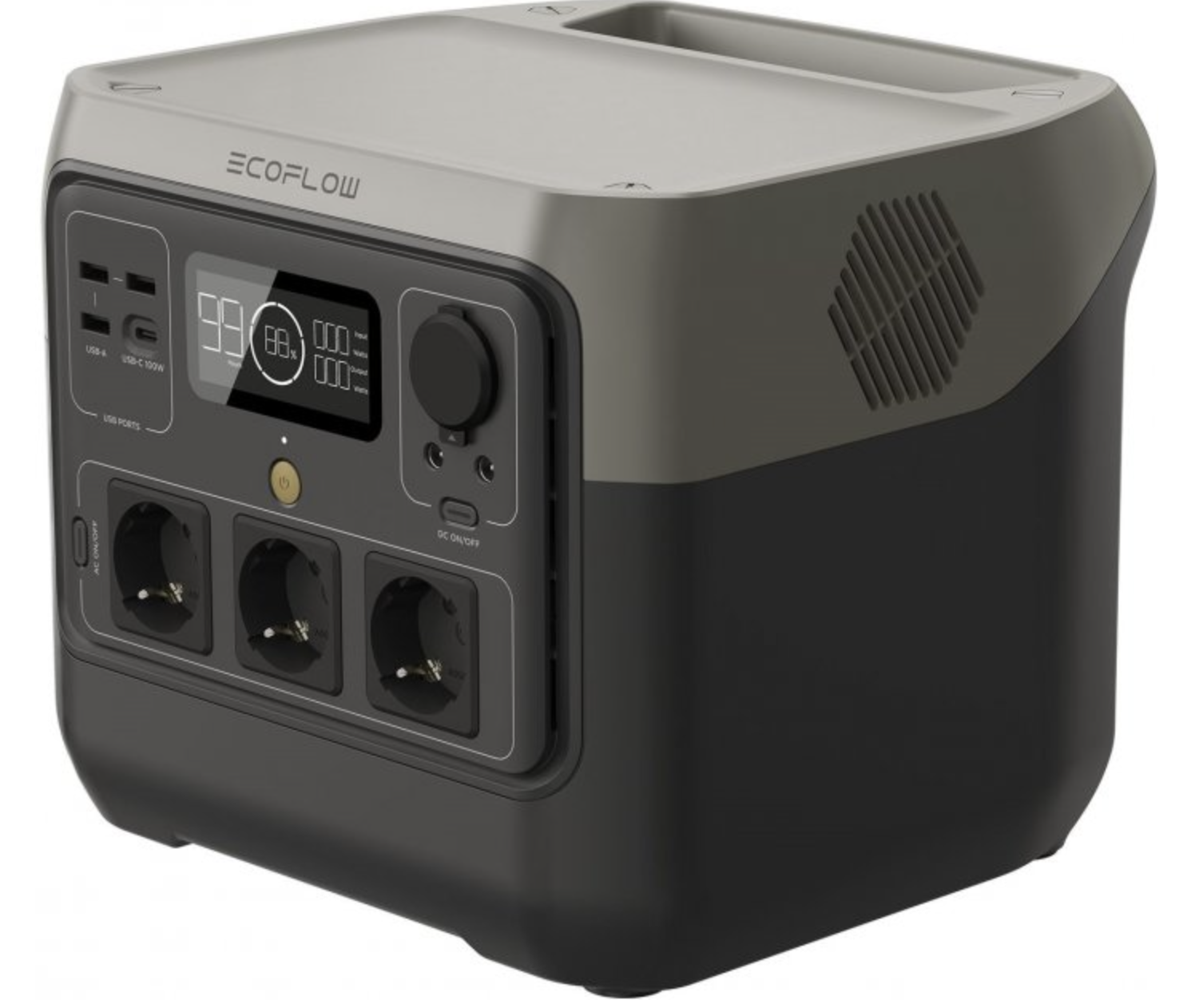
The process of configuration is simple and intuitive. You just need to install application on Android/iOS, register your account, allow Bluetooth capabilities for to perform initial auto discovery of devices. As next step I entered credentials of my WiFi network in to app and Ecoflow now able to connect to WiFi and access WAN. Then I decided to give to Ecoflow static IP address and leave a comment what kind of device is it in my network. I found that it responds with espressif active host name.

Espressif – is manufacturer of popular IoT microcontrollers like ESP8286/ESP32 which combines good CPU horse power and BLE/Wifi capabilities in single die. So it became interesting for me to understand how it works and which protocols uses. Especially because this is hard to put something extremely hardcore in this cheap microcontroller so I think it is easy.
Research#
My first assumption was like, probably Ecoflow starts some simple HTTP/TCP server and just receives some kind of REST/BINARY commands from Android/iOS. In meantime I put my iPhone in to dumping of Ecoflow application for future static reverse engineering. And I started googling for http keyword in strings section…
Initial analysis#
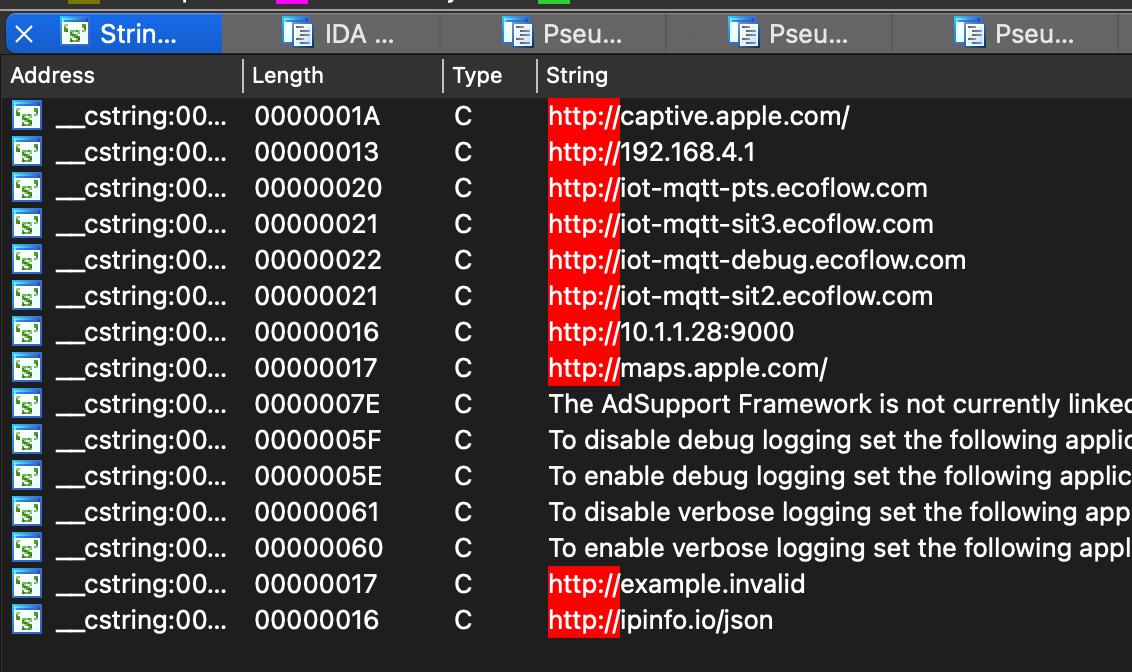
So it looks like there’s no direct communication between device and phone. I saw MQTT – name of the protocol which is used for IoT devices communication. After it I quickly checked am I able to control this thing even outside of my house and local network? Switched to LTE and disabled Bluetooth on iPhone and device still can be seen as online and I’m able to control its features like Turn ON/OFF AC or DC sockets. Well it’s more interesting than I expected because I heard, but haven’t experience with MQTT protocol.
Detecting MQTT endpoint#
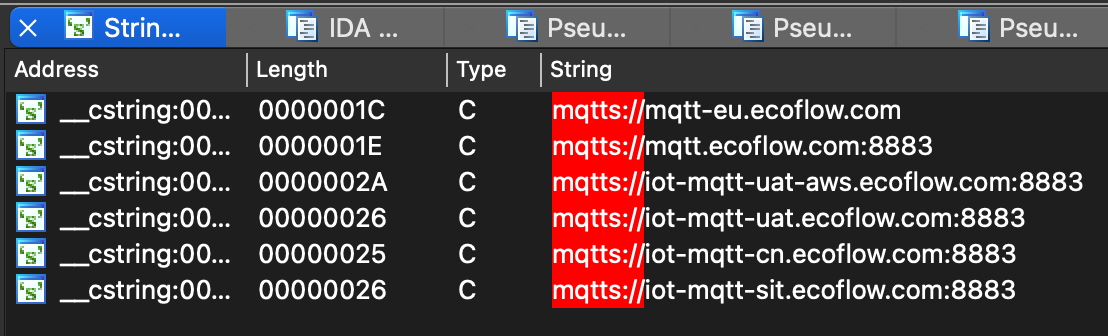
In strings section I saw a lot of domain names which contains MQTT mqtts:// and also I found some additional endpoints which event starts from instead of http which signals that it’s definitely MQTT endpoints which should be used for global communication with devices.
Okay I decided to detect at least IP address to which it establish connection and receives commands. Easy(I thought). I started Wireshark, wrote filter for capturing all packets going from/to IP address of Ecoflow in my network. Started Ecoflow, Wiresahrk and…
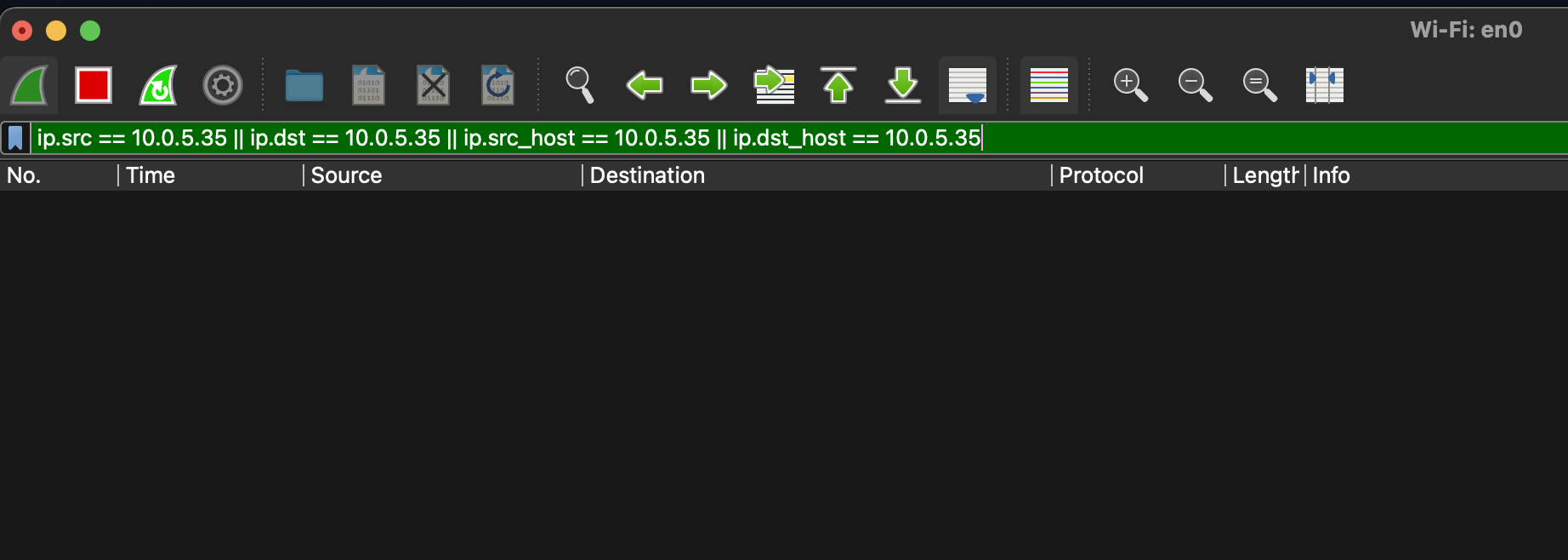
And nothing happens. I’ve tried to start Wireshark on WiFi and on wired connections but still the same. After some googling I found good article from Wireshark describing probably exactly my problem: https://wiki.wireshark.org/CaptureSetup/Ethernet#switched-ethernet
In short now we have everywhere routers and smart switches which tries to not flood traffic for everyone if it’s not needed. These smart switches forward all traffic to exact port, where destination client is connected. Under normal circumstances there is no need to duplicate traffic to my laptop if it’s destination IP address somewhere in WAN, sounds legit. So to achieve normal interception of packets I need the cheap and dumb switch, but I don’t have one at the moment. I have modern smart routers and switches so I decided to go from other side.

I’m using MikroTik routers and remember that they can show active connections established at the moment between peers. Current established connections can be found in: IP → Firewall → Connections. I filtered connections by local IP address of Ecoflow and I found it:
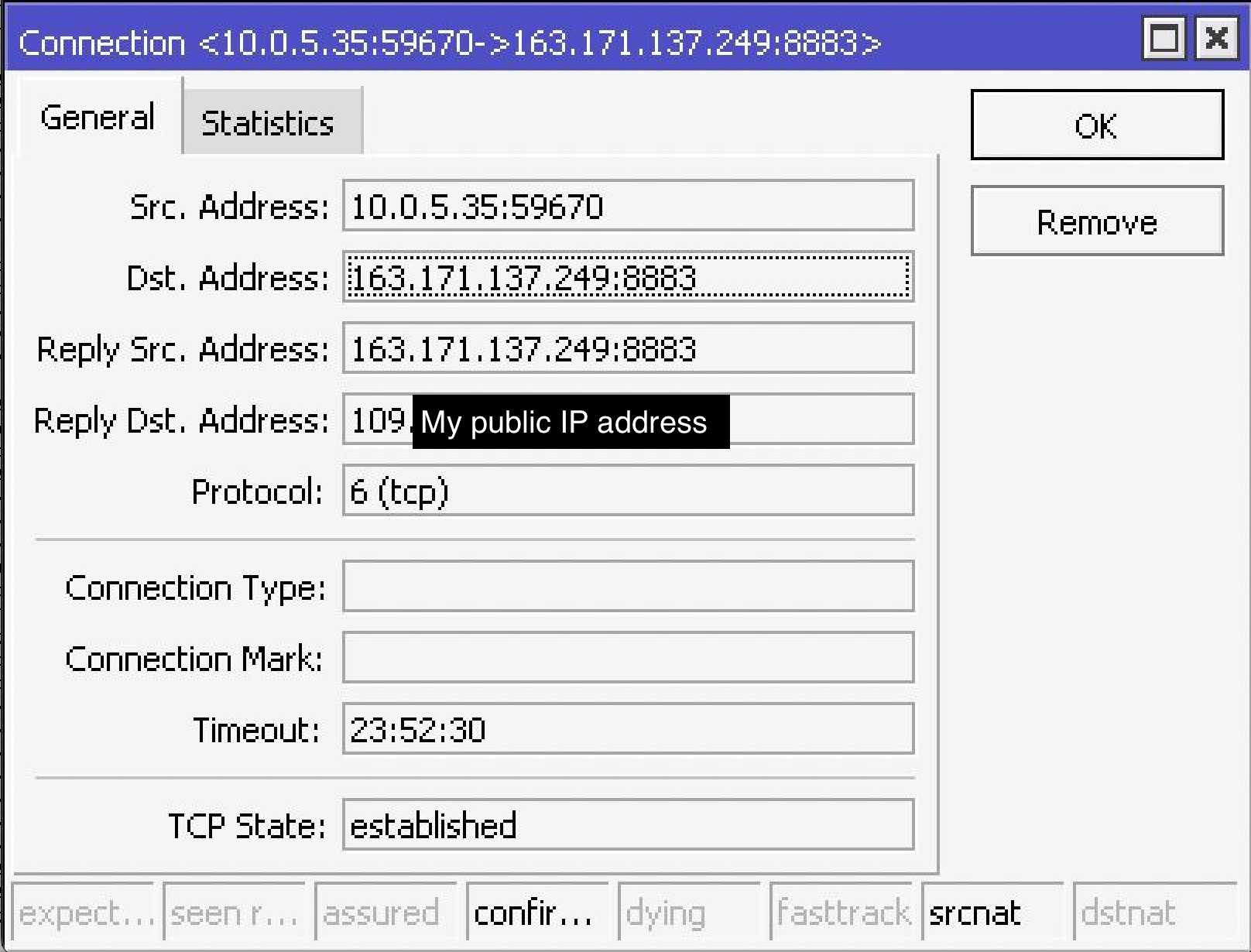
Here is public WAN IP address of MQTT endpoint 163.171.137.249. Why MQTT you may ask? We can see this port in strings section of iOS binary where I was searching by mqtts:// keyword.
I’ve tried to ping some of the DNS names which i found in previous step but no one responded with same IP address to which my device is connected. The only one closest with aws in the name:
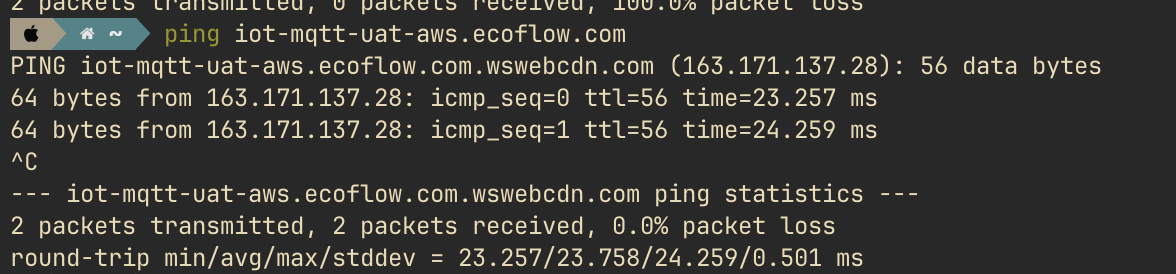
It have just different last digit so it looks like from one IP pool rented by Amazon.
UPD: No, it’s not Amazon but looks like 0-255 IP range owned by some Korean company called CDNetworks
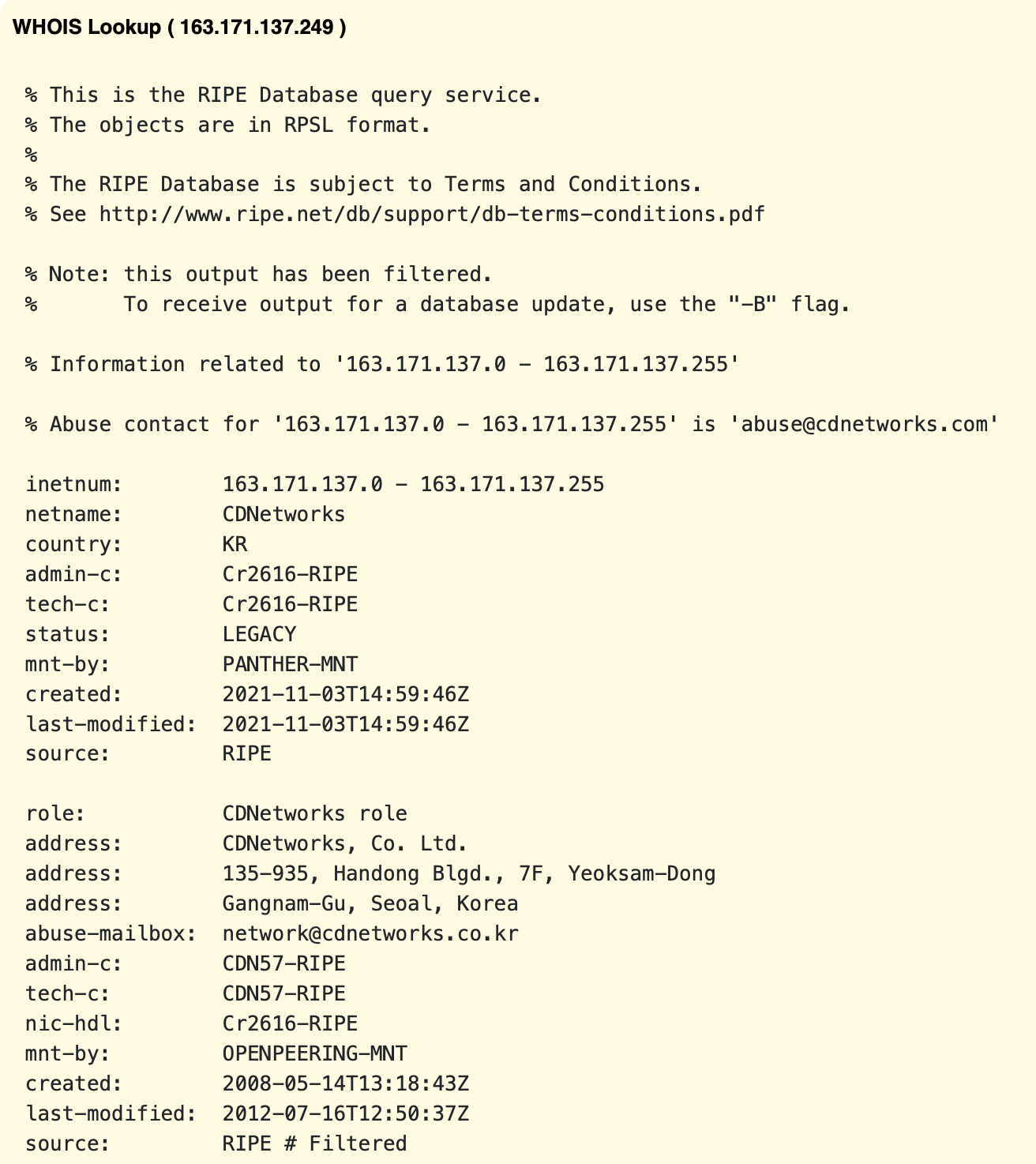
Also public web tools for reverse DNS lookup didn’t showed anything related to IP from router connections. I stopped digging in this direction because it is expected that they can use some kind of load-balancing reverse proxy and I need to be lucky to get response with exactly same IP address.
ecflow.com spoofing#
I decided to verify that it actually uses MQTT protocol, and redirect all traffic to machine which I can control. So I added wildcard DNS rule in my router to respond to all *.ecoflow.com DNS requests with local IP address of my laptop:
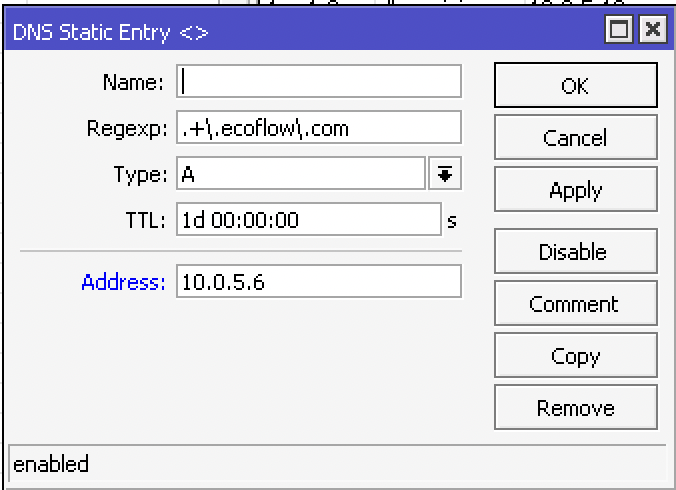
And I wrote simple TCP server in Go which listens on 8883 port, and it worked! I can see Ecoflow tries to establish connection but, reconnects every time.
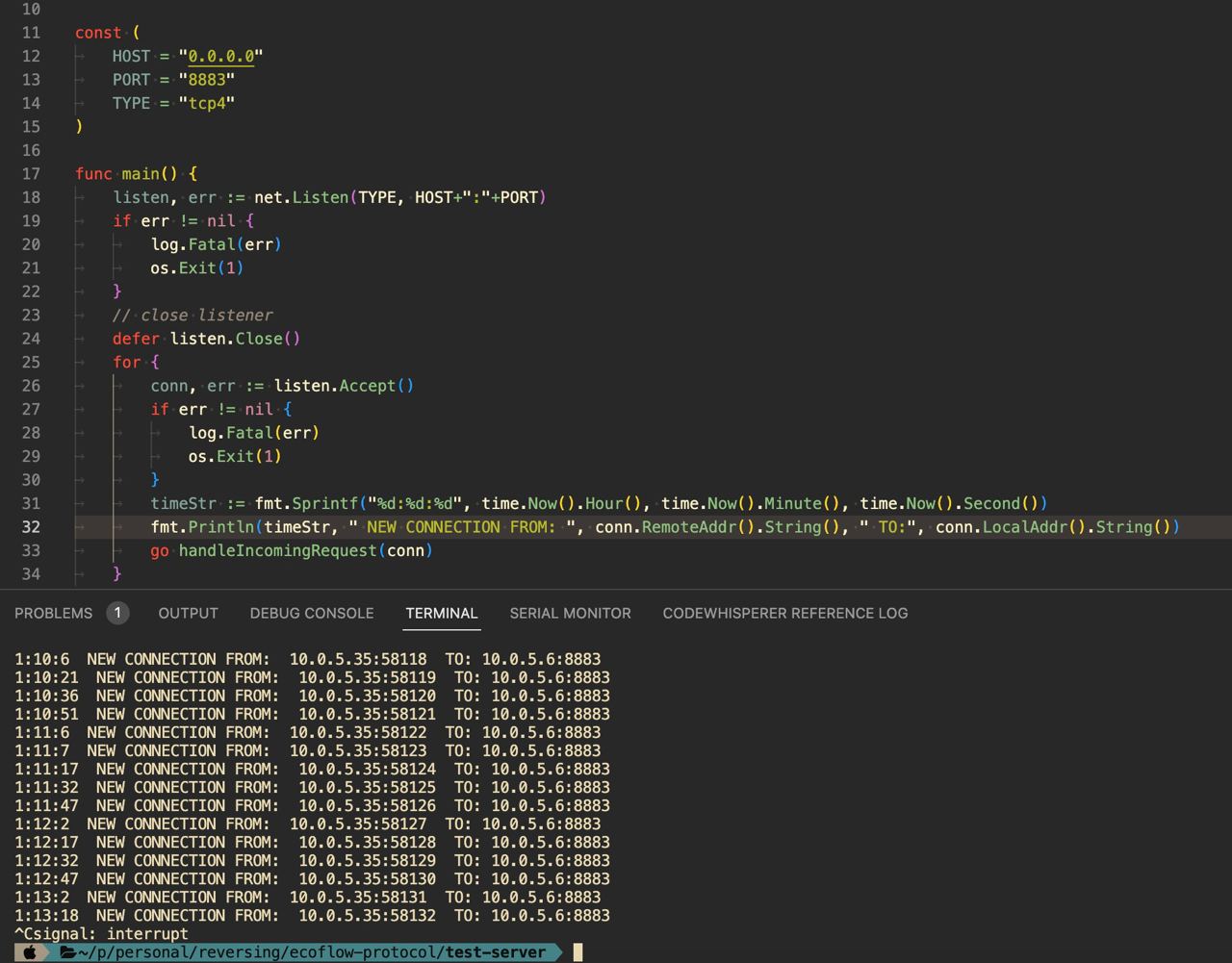
After some googling about MQTT and connection types I found that there’s MQTTS where S stands for secure, kind of HTTPS so it becomes obvious it disconnects because of, it constantly fails to perform negotiation in TLS layer.
YOLO#
So I know that it tries to connect via MQTTS which probably requires Public/Private certificates. Okay I can generate some self-signed pair or even try to re-use my paid with legitimate chain from Cloudflare domain. Possible even more, Ecoflow device can use Certificate pinning technique which completely will block connection to IP/DNS which have certificate with invalid chain. But I decided YOLO let’s try to deploy my own MQTT broker with blackjack…
I quickly deployed new LXC container in Proxmox and googled for some open-source & self-hosted solutions. I decided to use EMQX because it have rich feature set and have nice web UI.
After deploying EMQX I again rewrote my DNS rule in local network to redirect all *.ecoflow.com requests to my EMQX server. And moment of truth, powering Ecoflow and I see some activities on my server:
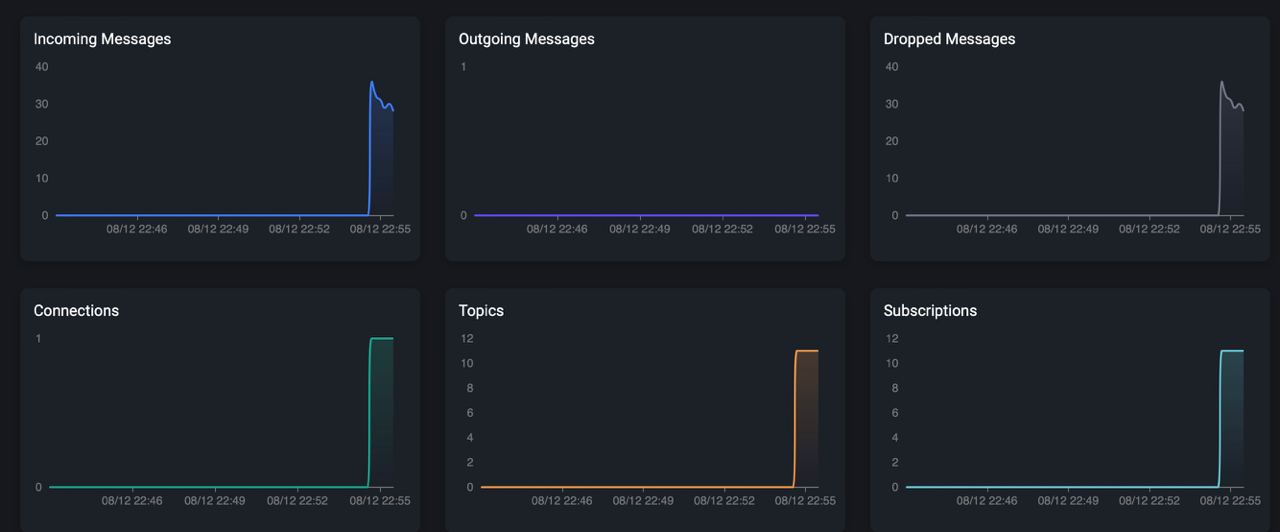
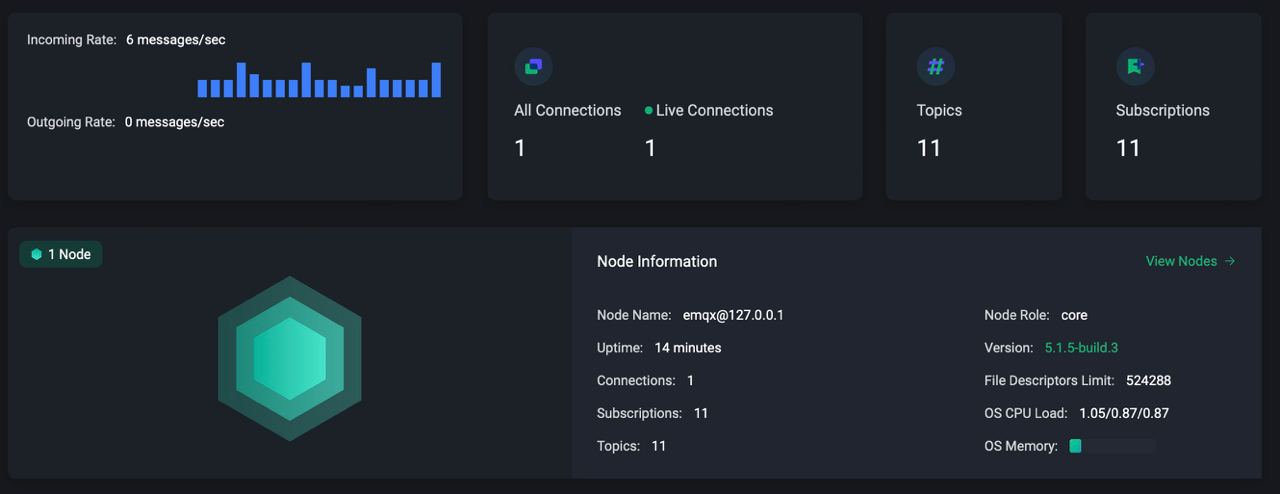
Also there is one connected client and it’s subscribed for 11 topics. Wow, it worked.
There is some interesting information about client connection, like Client ID and Username.
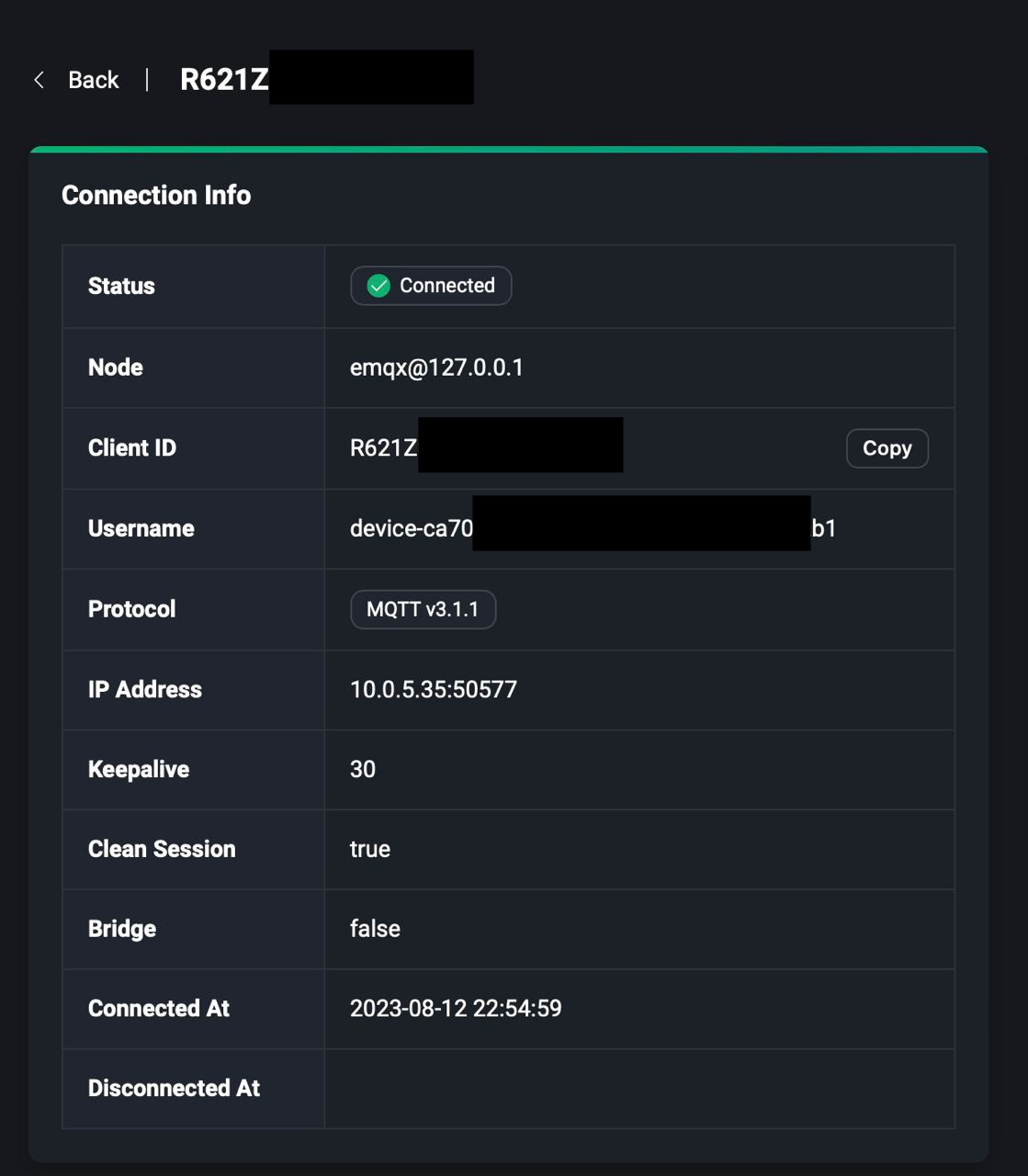
Spoiler: I removed parts of my Client ID and Username cause later I found it’s sensitive information which is used with real server. Also there is topics to which device is subscribed:
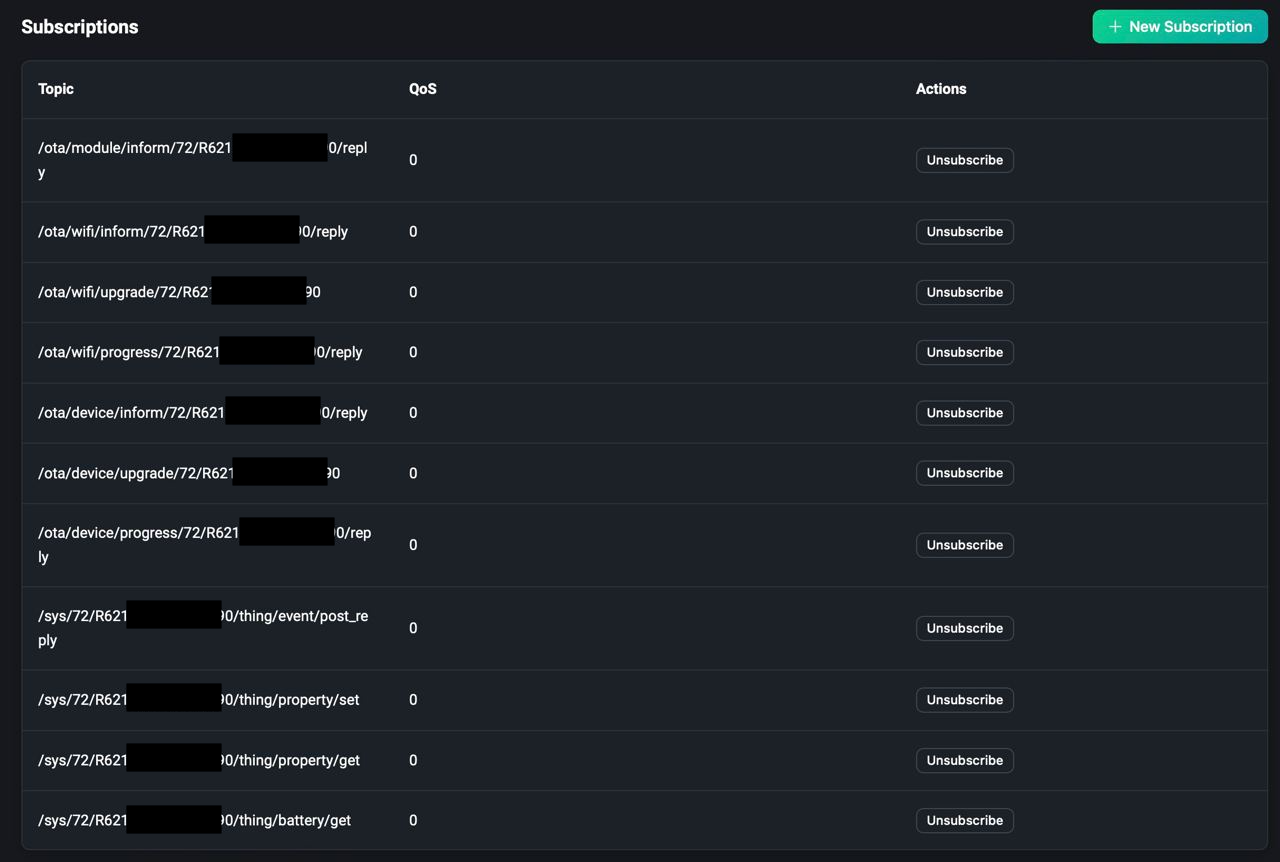
Cool, connection looks stable, clien not trying to reconnect. It looks like device can connect to any broker and don’t have validation of remote endpoint, like cert-pinning.
MQTT Commands & Responses#
The next step is to take a look at the communication protocol how it communicates with MQTT broker and in which data format. In web UI of EMQX I found menu item responsible for logging. I just set debug level of logging, rotation, path to file and all possible stuff. Easy, I just tried to run tail -f /var/log/emqx/emqx.log and I can see file not found error. I thought that there is some bug with logging, maybe it fails to create folder structure and log file, but only closer to the end of research I found that EMQX creates file with name /var/log/emqx/emqx.log.1 because of enabled rotation.
Because of fail with checking logs I decided to find some MQTT client and just listen what happens on already seen topics. EMQX also has MQTT client called MQTTX. And as you can see on screenshot below I’m able to subscribe to these topics and listen all commands sent by Ecoflow device.
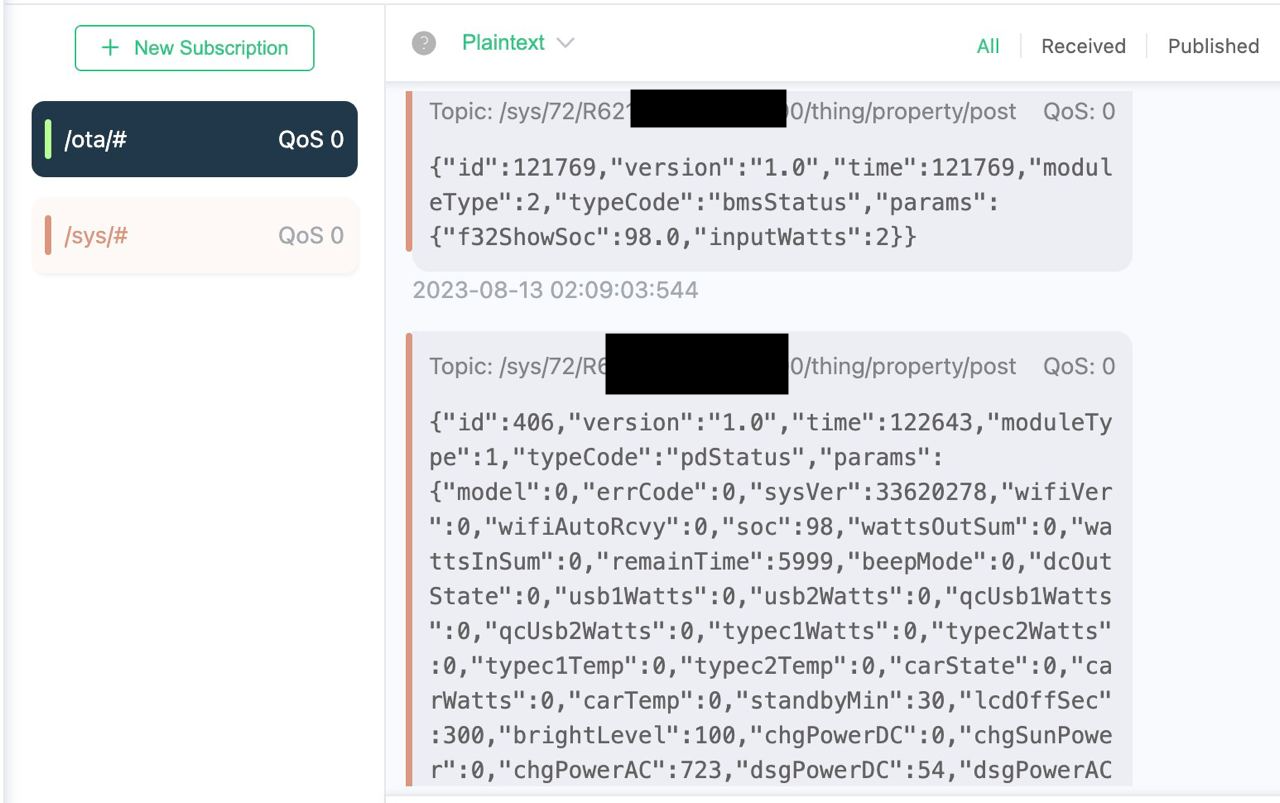
One interesting thing about MQTT, you can subscribe to all sub-topics with # symbol at the end, kind of wildcard subscription. After dumping and analysing these packets I tried to find some of these keys in Ecoflow iOS application. There is some functions with these fields but there is a lot of abstraction like some common devices specific device classes and all packet building parsing happens in some data model. This way of research and reconstructing of all classes looks not so interesting to me. At this point I decided I’m able to do anything with device but I just need a lot of time to understand all packet structures and what does it mean these key names in JSON messages. So my main focus is just to find way how I can turn ON/OFF with specific packets DC12V socket switch in device.
This switch can be controlled from Ecoflow application and button responsible for this can be found at the bottom of application UI. It’s titled as: 12В пост. тока
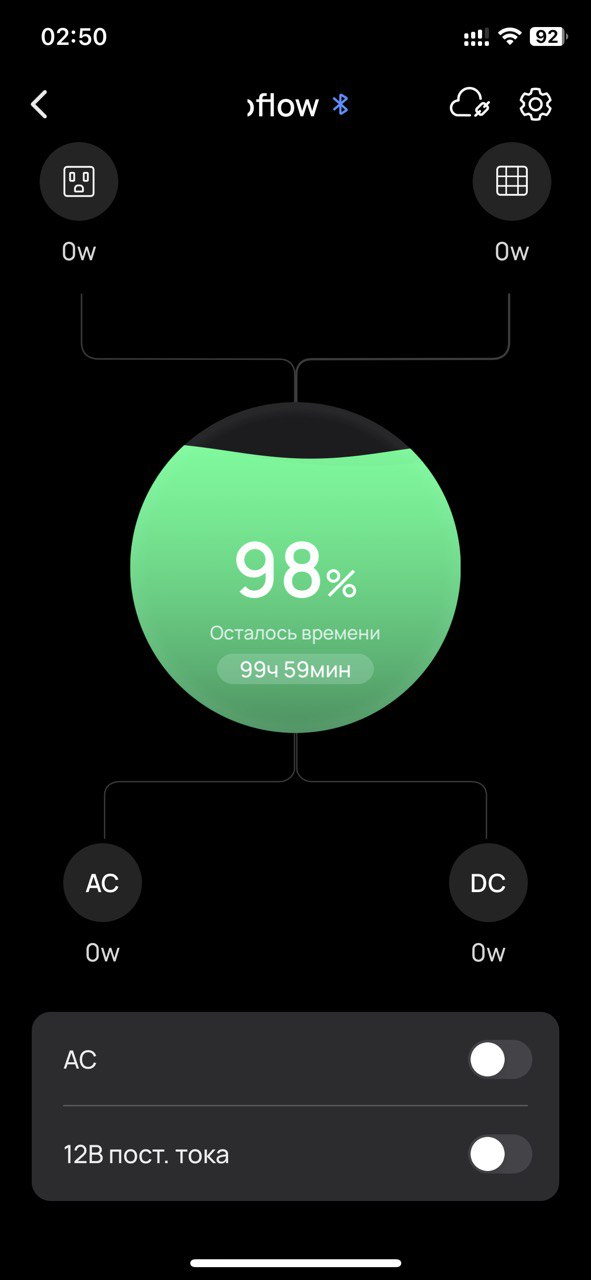
I decided to find this button and possible handler where we can find under which key it adds value in to JSON.
Inside any popular, multilingual, production iOS application we can find localisation info where application operates with hardcoded placeholders where text need to be shown to user and for different region it uses localisation files which looks like key value map where key is placeholder and value text which should be shown to user in his language.
Localisation data usually can be found as folders named <first-2-letters-of-language>.lproj example:
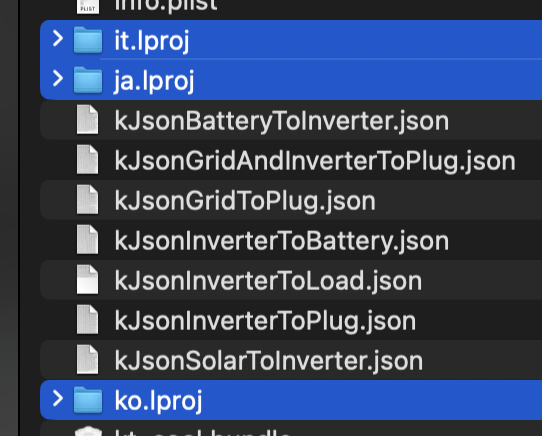
Inside this folder usually several files with file extension .strings Each of these files actually in bplist format(Binary Plist - proprietary file format from Apple).
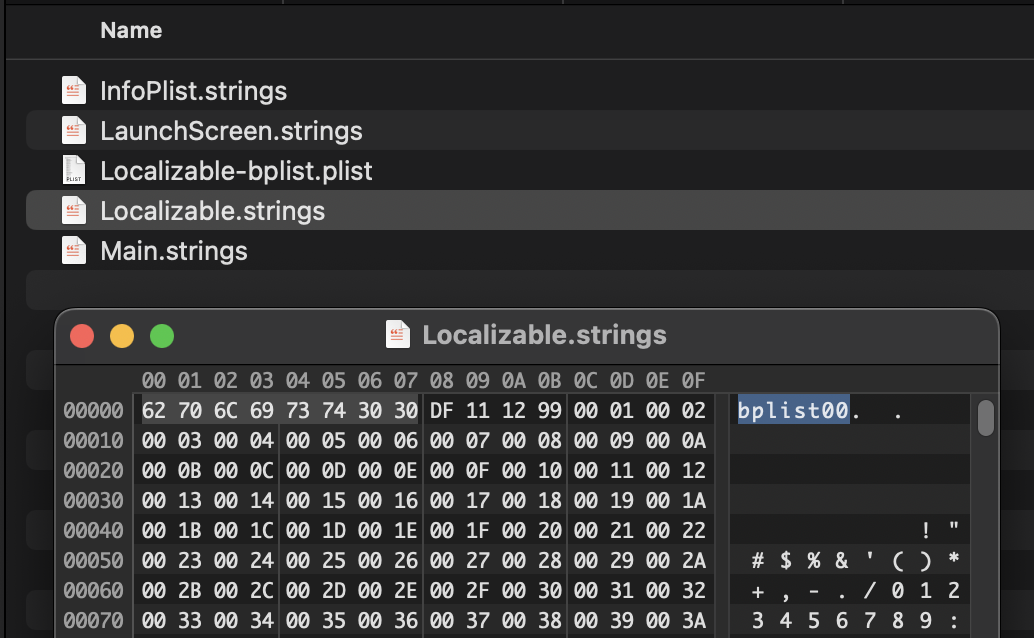
We can convert them in to more human readable format on macOs with command below. But before converting create backup copy of original file, because this command just overwrite bplist file with plist data.
plutil -convert xml1 <bplist-file-path>
And finally we can find under which key we have our target string, second line - device_detail_output_dc12v:
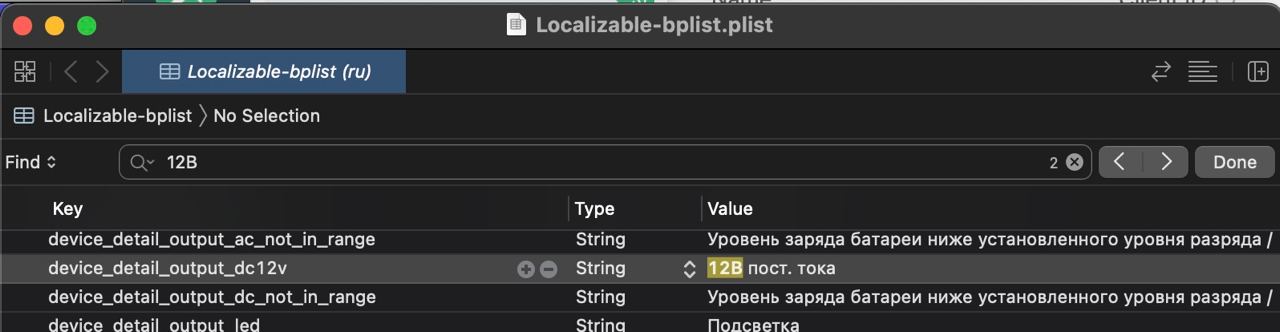
This keyword have xrefs to several iOS Views
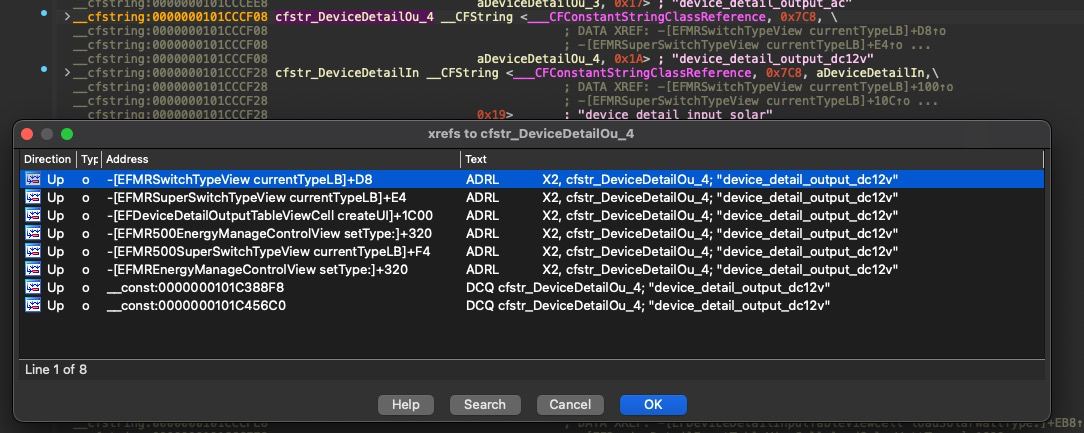
And again traversing through these xref places didn’t give any obvious results in terms how to turn on DC switch.
Connecting from other side#
I had a new idea to look at issue from other side. What if i can connect to Ecoflow servers with MQTT client and just subscribe for interesting topics to intercept what iPhone is actually sending to control DC switch.
Based on my previous findings I thought like, I possibly can connect to production server and just subscribe to /sys/# and /ota/# topics and intercept messages from all other Ecoflow in the world. WOW! First of all I need to know to which domain/endpoint I should connect. Yes I have already IP address of Ecoflow endpoint but because it connects to SSL endpoint I mostly need to use domain for correct resolution to which endpoint I want to connect on production server side. I also can see some domains in strings section of iOS binary but I’m not sure to which actually device is connecting. Again I re-used power of my network setup. My MikroTik router configured as default DNS caching server in my local network. So all DNS resolution requests is passed through it, also it should cache all results to speed up surfing experience. I disabled my previous DNS rewrite rule for *.ecoflow.com, opened IP → DNS → Cache menu, cleared all entries, started Ecoflow device and searched for ecoflow domains, there is:
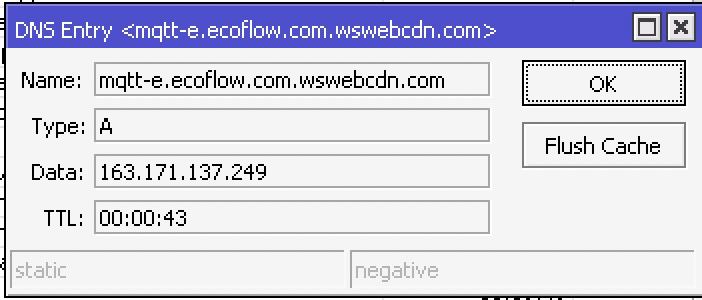
Device tries to access domain: mqtt-e.ecoflow.com.wswebcdn.com but actually we can just access mqtt-e.ecoflow.com
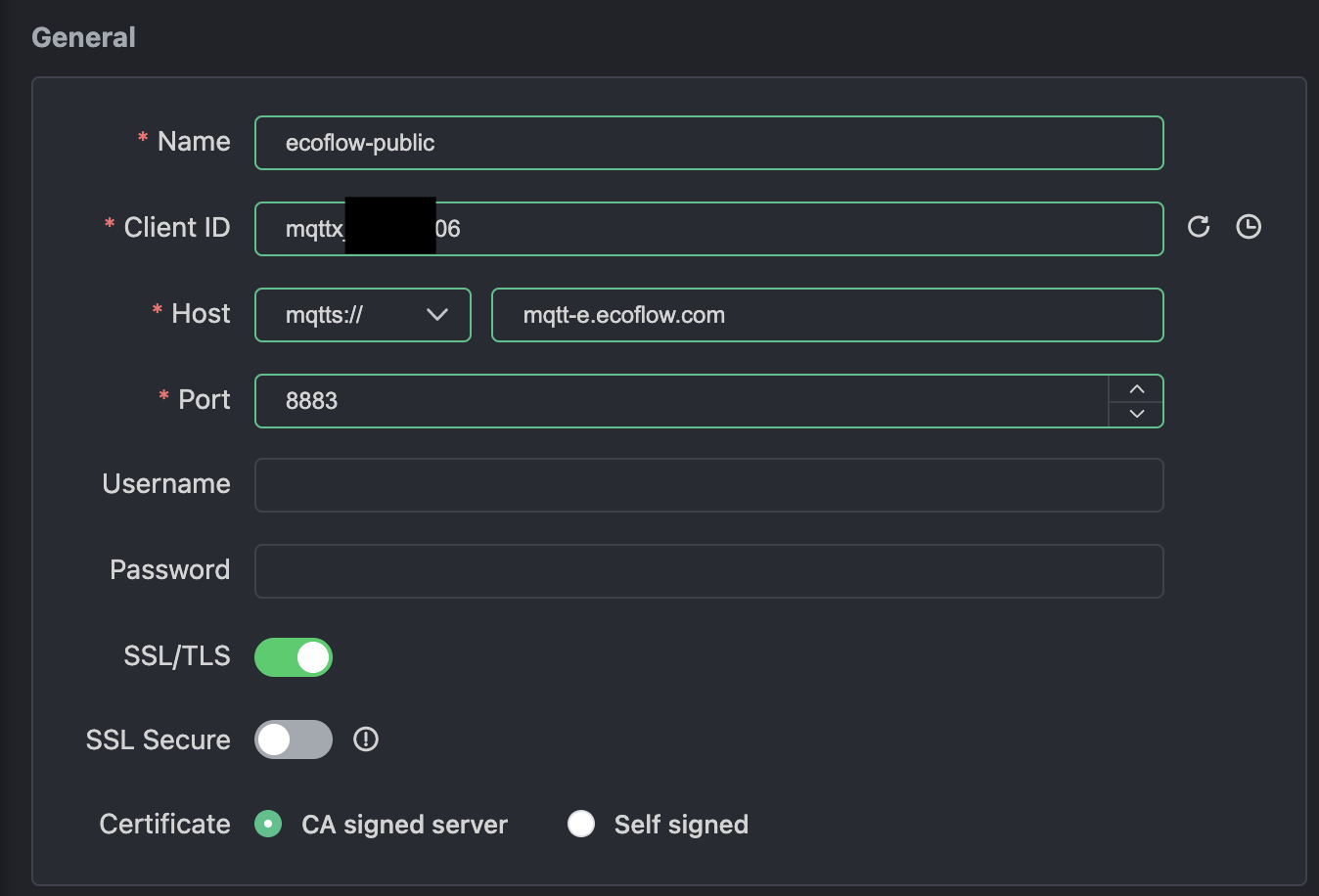
Let’s try to connect to it.
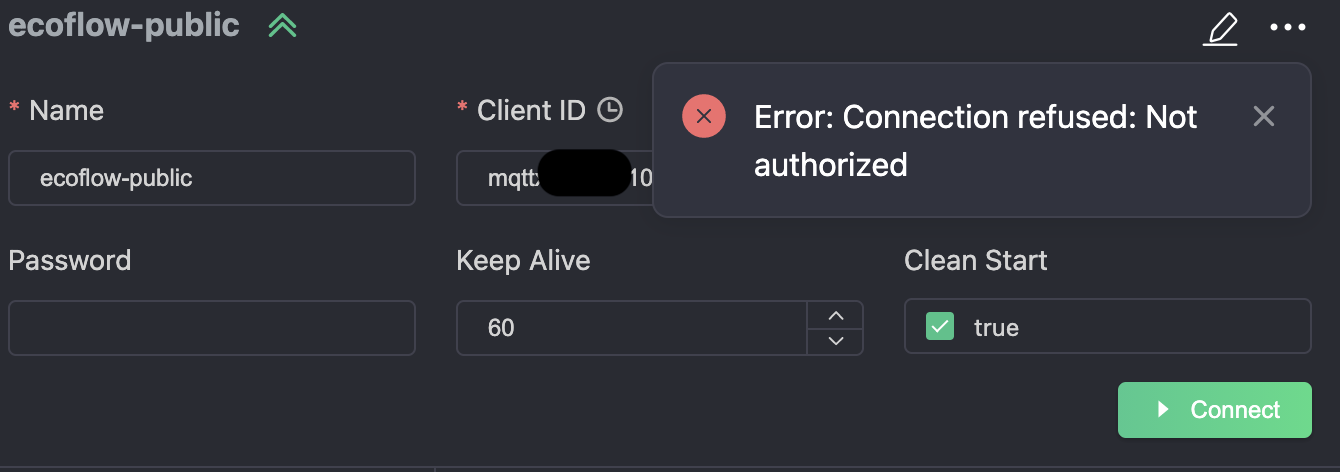
Okay seems like we need at least some credentials. I tried to enter my login password used for Ecoflow account but obviously nothing worked. Based on this I can say that Ecoflow device also uses some credentials for connecting to production broker. My thoughts now I need to go back to turning on full logging on my EMQX server to see with which credentials it tries to connect to real server. After some digging I finally found that it writes all logs to file with suffix .1 → file emqx.log.1 And I think this is all because of rotation turned on in logging section.
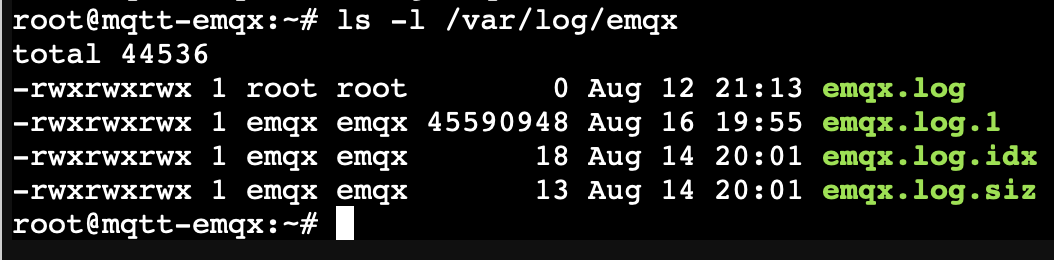
So I restarted connection and started investigating log file to see something interesting. I was lucky and found by timestamp first packets of new session.
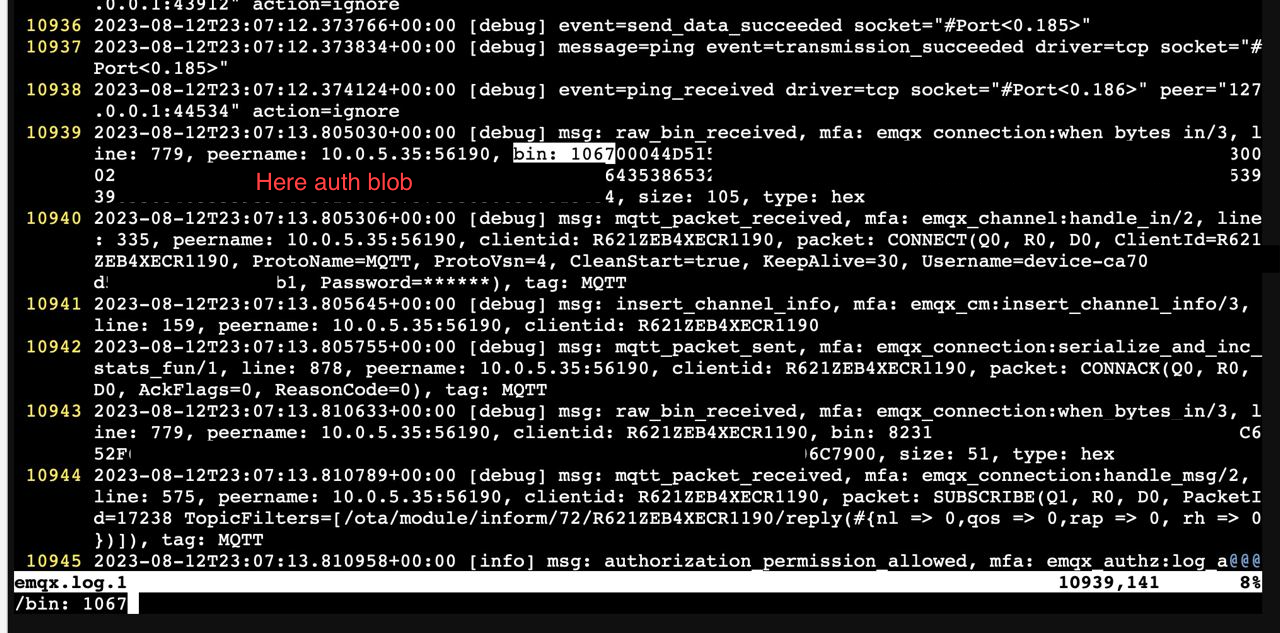
At line 10940 I found fields Username Password and before them at line 10939 I saw some binary dump so it’s probably packet before unmarshaling.
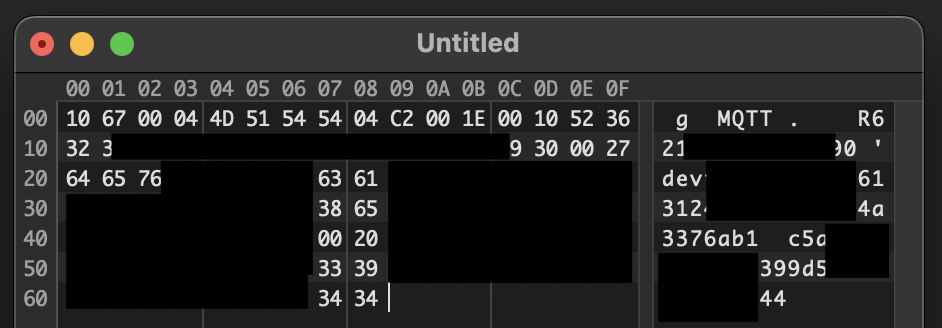
And yes it looks like this, the structure of this packet is:
10 67 - Possible general header
    00 04 - MQTT header size
        4d 51 54 54 - MQTT
    04 c2 00 1e - Some marker or version
    00 10 - Client ID size
        52 36 ... - Client ID ASCII bytes
    00 27 - Username size
        64 65 ... - Username ASCII bytes
    00 20 - Password size
        63 35 ... - Password ASCII bytes
So I just took all these fields and entered I’m my MQTT client and I’m connected!
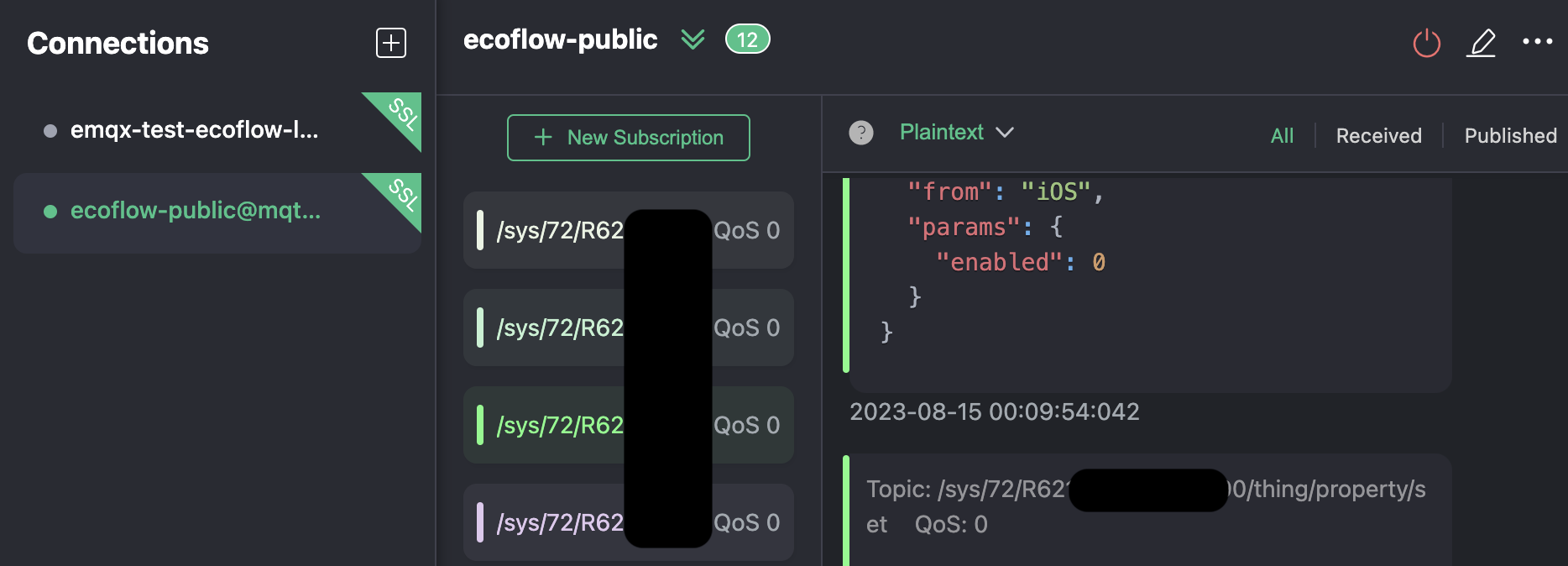
I also subscribed to all necessary topics responsible for communication between Ecoflow device and mobile app. I tried to subscribe to /sys/# but unfortunately it throws me error that I’m not allowed to do this based on server ACL(Access Control List). This is how I figured out that MQTT brokers can have ACL’s and my ideas about intercepting messages from all Ecoflow devices in the world are just destroyed.
/sys/72/R621...XXX/thing/battery/get
/sys/72/R621...XXX/thing/property/get
/sys/72/R621...XXX/thing/property/set
/sys/72/R621...XXX/thing/event/post_reply
The next step I turned on Ecoflow device and iOS app. I wanted to intercept packets from both sides to have full image of communication but my client from PC was always reconnecting. If figured out that it’s probably because me and Ecoflow device uses exactly the same credentials and server might have restrictions which allows only one connection for one credentials set(client id, username, password). So just by turning off Ecoflow device I can have stable connection and just turn ON/OFF DC switch on iOS app and intercept these commands.
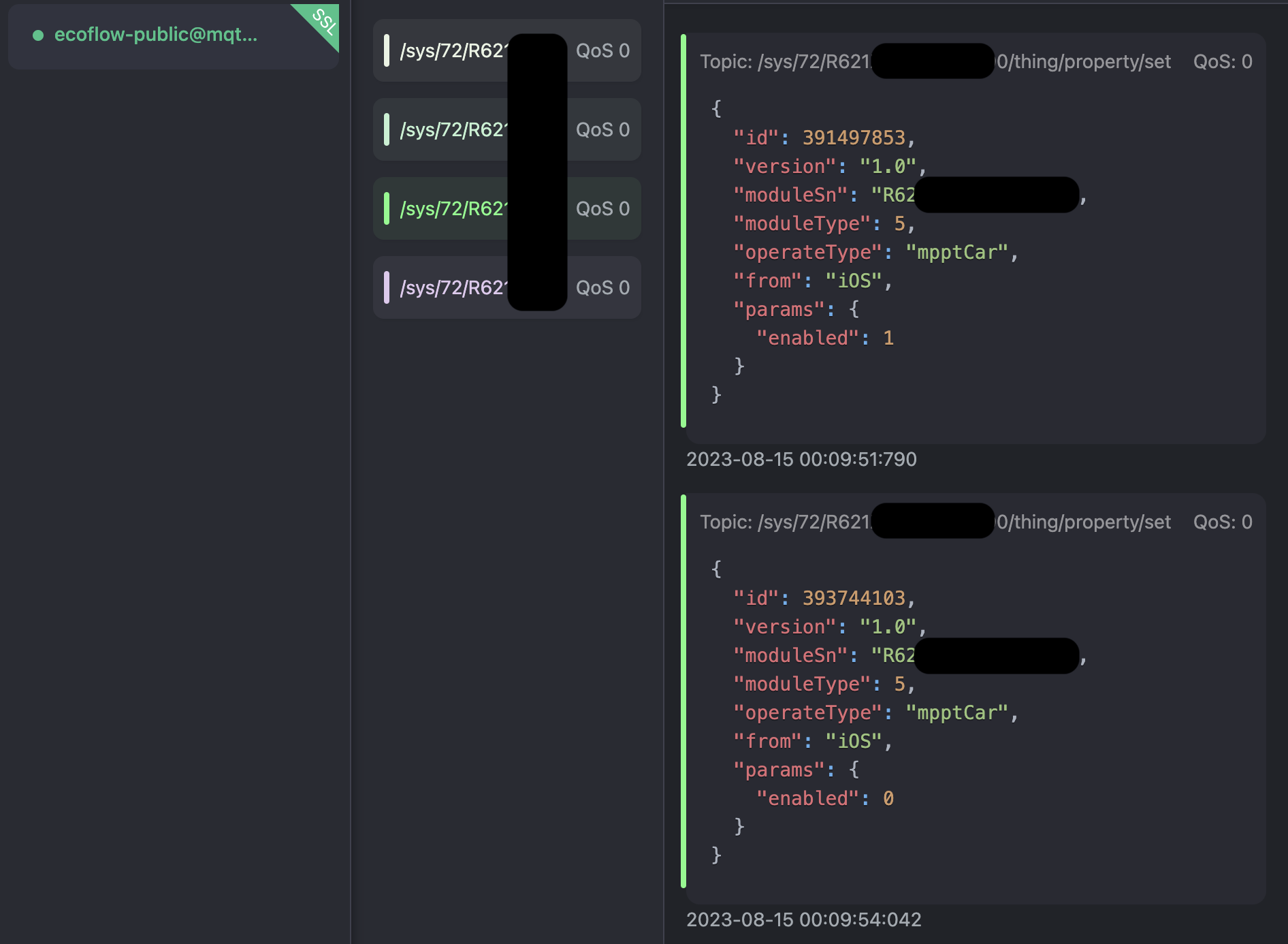
For some strange reason interesting for me DC switch is hidden under "moduleType": 5 and "operateType": "mpptCar". Very not obvious without heavy digging inside iOS app abstractions for different models of devices.
I started sending this packet by only changing enabled field to 0 or 1 and it worked I now can turn ON/OFF my DC sockets. Also at first I was scary that I probably should match id’s of messages, because they are always growing with new packets and probably my packets with lower index, or with difference for example higher than 5-10 numbers from last actual packet will be declined, but it turned out NO. It doesn’t care about indexes at all.
Epilogue#
I learned little bit about MQTT protocol which I never touched before. Found cool tools for debugging MQTT from server and client sides.
Found kind of vulnerability or bad security practice usage in production. By just spoofing DNS server in some network you can redirect all Ecoflow devices from local network to your MQTT server, dump all passed credentials and also authorise them on your server and fully control as you want.